Discrete is a native, third-party Jellyfin music player for iPhone, iPad and Mac. It brings your own collection into an interface built around beautiful artwork, thoughtful controls and the way you actually listen.
Simple to pick up, with plenty of depth when you want it. Quality, stability and performance guide the details.
Download free on the App Store
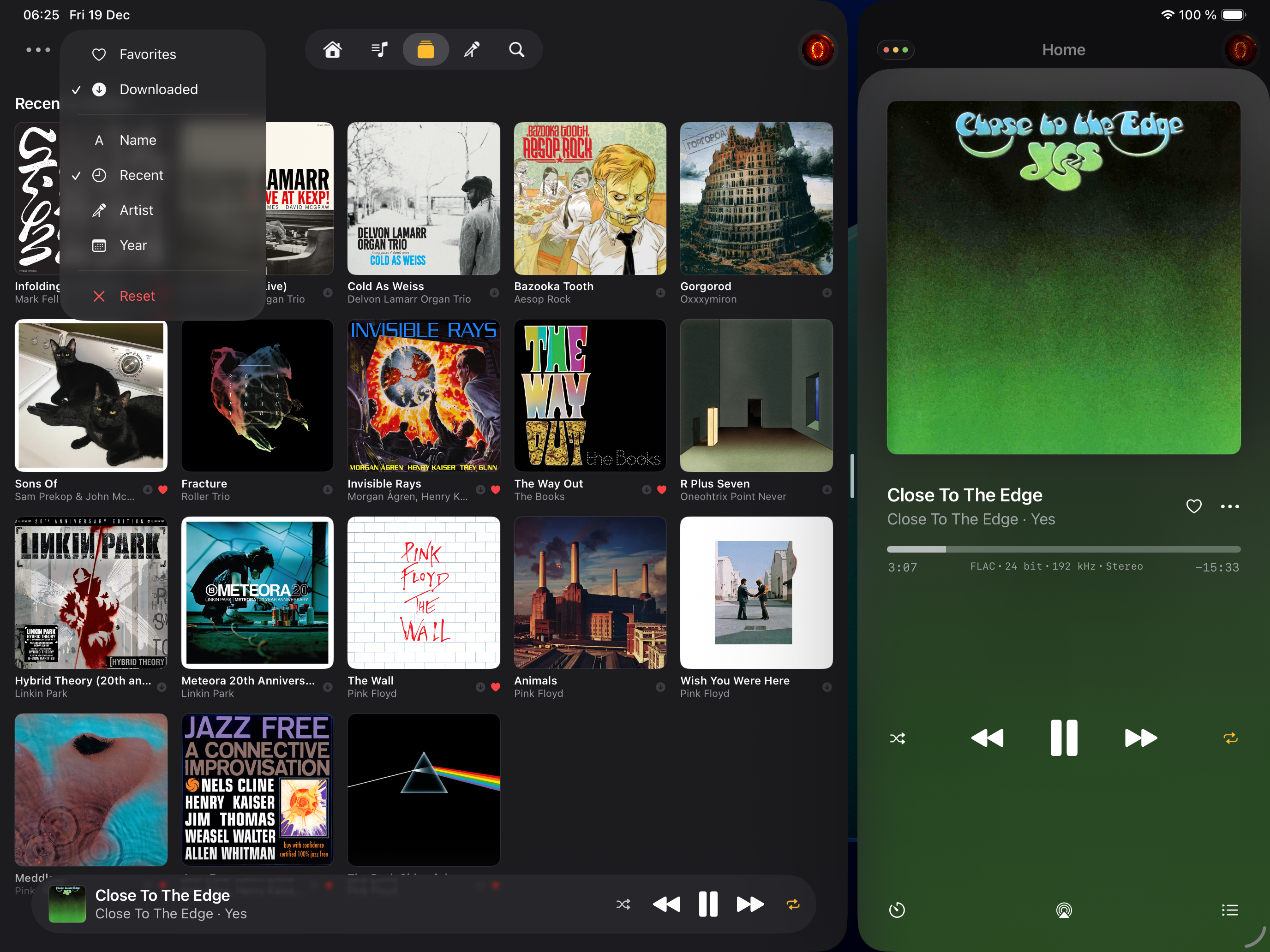
At home on every screen
On iPhone and iPad, enjoy carefully arranged portrait and landscape layouts, swipe between tracks in the mini player, and keep listening while you use other apps. Discrete adapts to iPad multitasking, including Slide Over on supported systems, and the space available to it.
iPhone Duo gets special attention. Both library navigation and the player adapt as you rotate or fold the device. Dedicated layouts make room for artwork, playback controls and your queue or lyrics together on the expanded screen.
On Mac, browse in a library window, keep a compact player beside your work, or control the music from the menu bar. Resize the player or pin it above other windows. Keyboard shortcuts, right-click menus, Control Center and media keys make it part of your desktop.
Rediscover your collection
Browse albums, artists, playlists and All Tracks, with artwork and useful music details. Search songs, albums, artists and playlists in one place.
Home brings together new releases, recent additions and suggestions from your library. Keep favorite tracks, albums, artists and playlists close, revisit your listening history, or start a Jellyfin Instant Mix from a song, album or playlist.
Create, rename and delete playlists. Add and remove songs, or drag them into a new order. Your playlists and favorites stay connected to your Jellyfin server.
A queue you can make your own
Play a song next, add an album or playlist to the end, and drag upcoming tracks into place. See what you have already played alongside what is coming next. Your queue and playback position are remembered between app launches.
Shuffle, repeat, or set the built-in sleep timer. Follow synced lyrics and tap or click a timed line to jump to that part of the song, when lyrics are available on your server. Audio details show the format, bit depth and sample rate of what is playing.
Take your music with you
Download tracks, albums and playlists for offline listening. Discrete uses downloaded audio when it is available, and keeps saved music browsable and searchable without a connection.
Audio downloads can continue in the background, with automatic retries to help with unstable connections. On iPhone, follow download progress in a Live Activity.
Stream original files, let Jellyfin choose automatic transcoding, or fine-tune the settings yourself. Separate preferences for cellular, Wi-Fi and downloads let you choose how your music travels.
CarPlay, with the attention it deserves
CarPlay gets a full listening experience: Home, albums, artists and playlists, favorites, downloaded music and your listening history. Browse your collection, play something next, shuffle an album, or manage Up Next from the car’s screen.
It all uses the same playback queue as your phone, with downloaded music available when you are offline.
Lightweight, with care where it counts
Discrete is designed to stay small in memory and storage. Cached library views and progressive loading help keep larger collections manageable. Saved listening state and download recovery support the everyday experience.
As the developer, I keep a close eye on stability and performance. How the app behaves when you pause, switch away or return later matters as much to me as how it looks while the music is playing.
Free to enjoy. Pro to support.
The core listening experience is free, including playback, queue control, downloads, playlists, lyrics and CarPlay.
Discrete Pro is an optional way to support continued development, with a few extras:
- Multiple Jellyfin accounts and servers in one app, sharing a single playback queue
- Alternate app icons, including Dock icons on Mac
- Accent colors on iPhone and iPad
Requires access to a Jellyfin server with a music library.
Help shape what comes next
Your feedback can influence Discrete’s functionality. Join our Discord server to get support, share feedback, report bugs and request features.
Other ways to get in touch are on the contact page. See the high-level roadmap for the direction of development.